Reminders for
real life.
Pay the card bill. Call Mom on her birthday. Renew the car insurance. Add it in seconds, and CueSpace reminds you when it's time.

Why CueSpace
Simple enough to actually use
Add it in seconds
Type a name, pick a day. That's it.
Reminds you, kindly
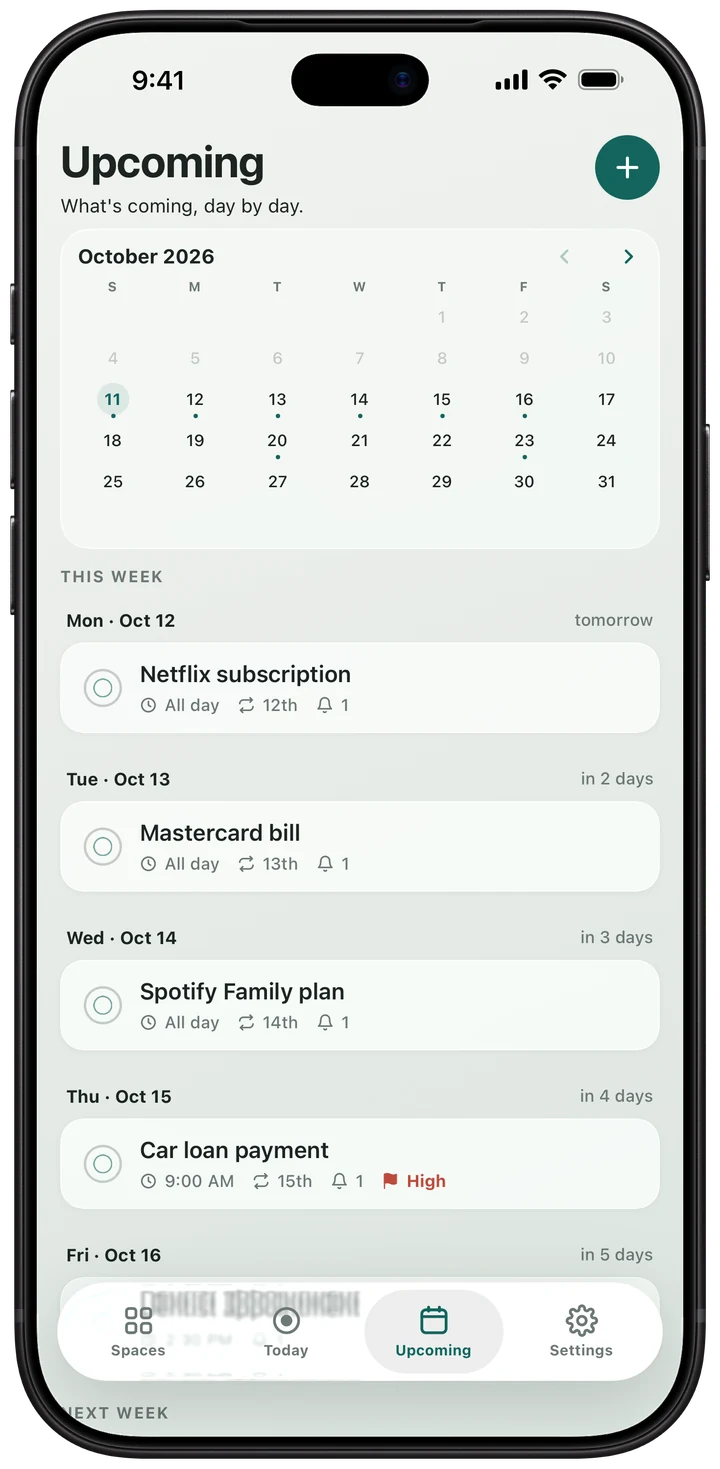
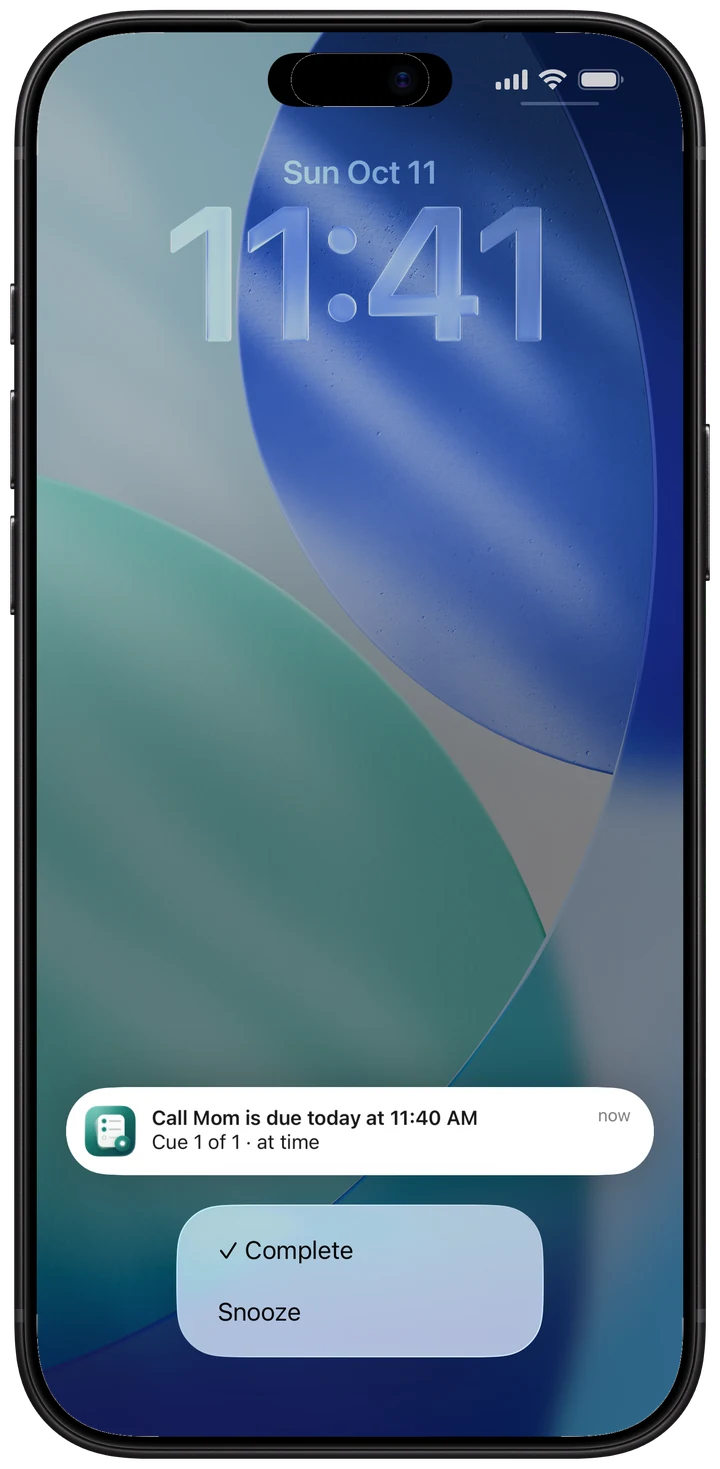
A gentle nudge at the right time. Tick it off or snooze it from the notification.
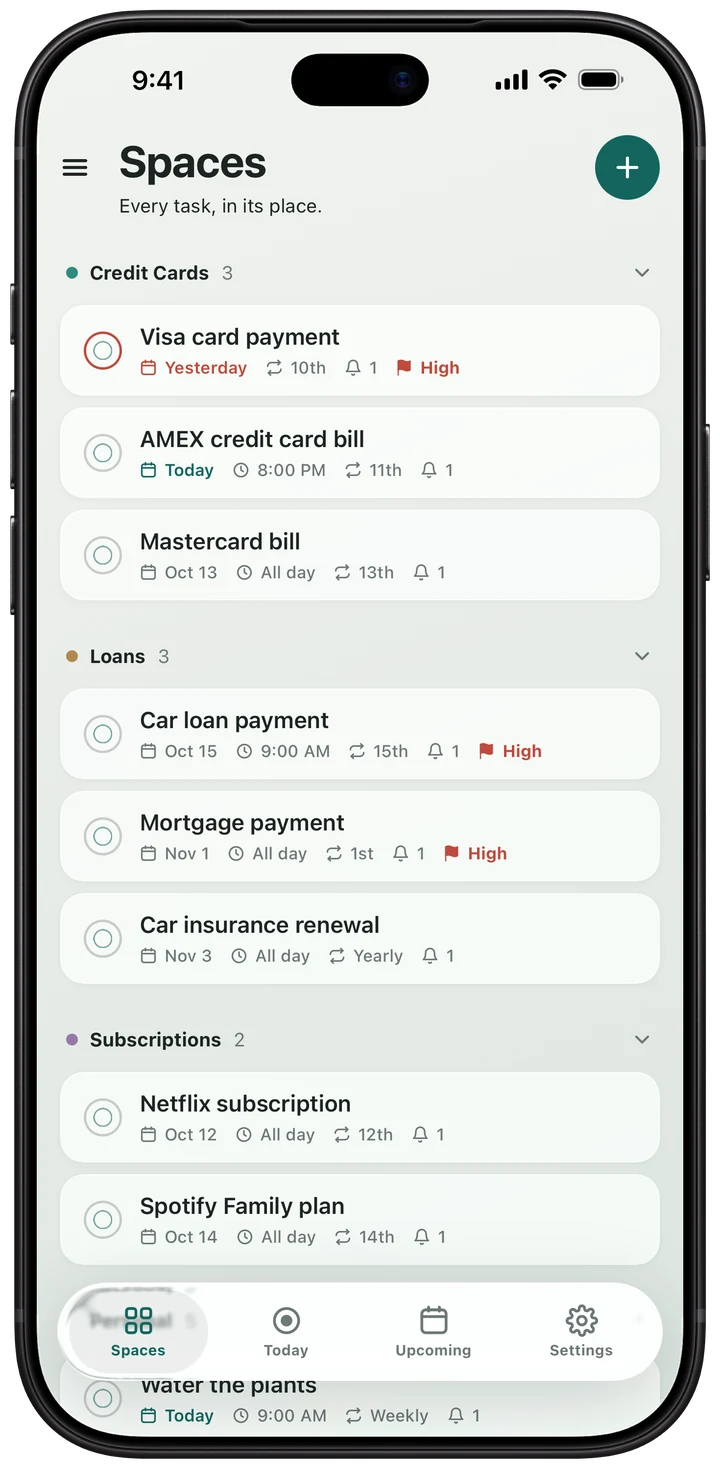
Everything in its place
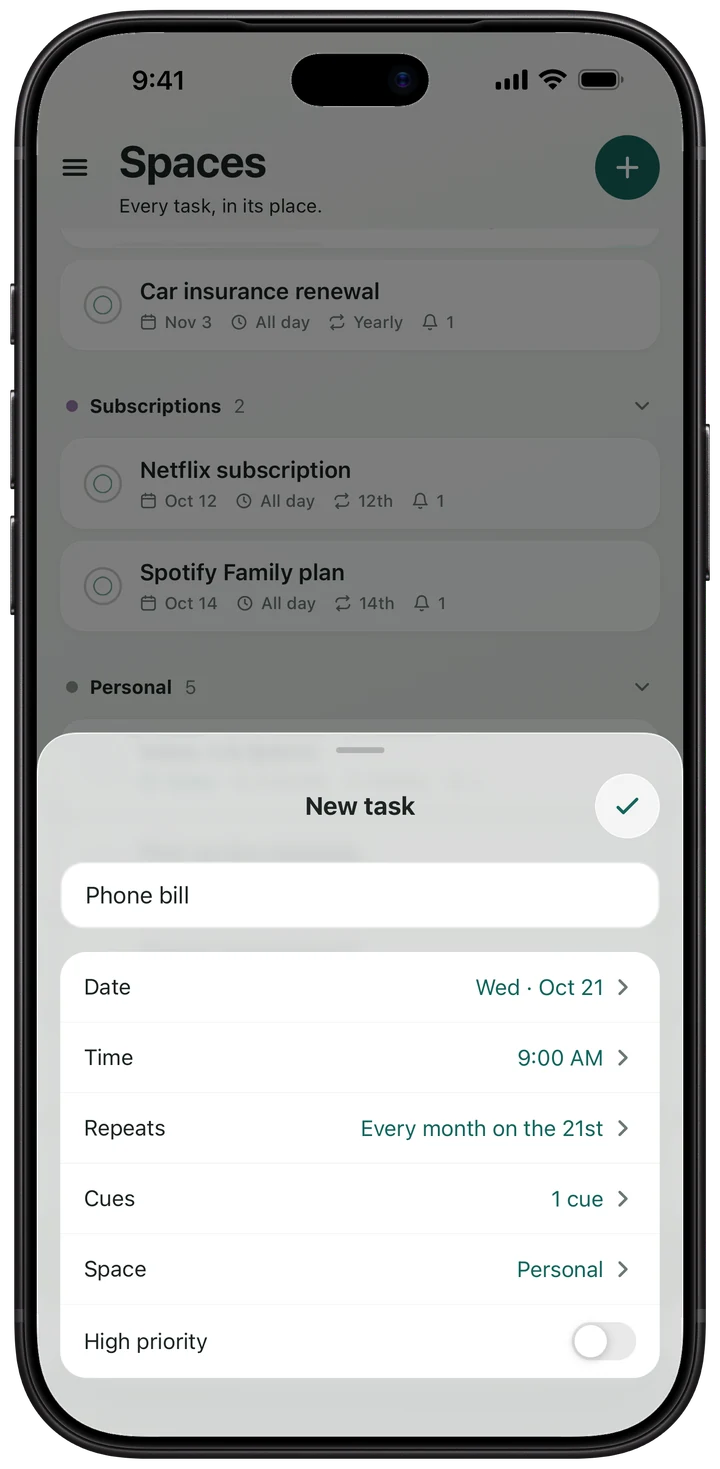
Bills, family, health, home — each gets its own space.
The app
See it in action
Pricing
Free to start. Pro when you want more.
Try Pro free for 7 days. Cancel anytime in your App Store or Google Play settings.
See pricing details →Free
$0 forever
- Unlimited tasks and spaces
- One reminder per task, at the due time
- Daily, weekdays, weekly, monthly or yearly repeats
- Sync across all your devices
CueSpace Pro
$19.99 /year
$1.67 a month — or $1.99 month to month · save 16% yearly
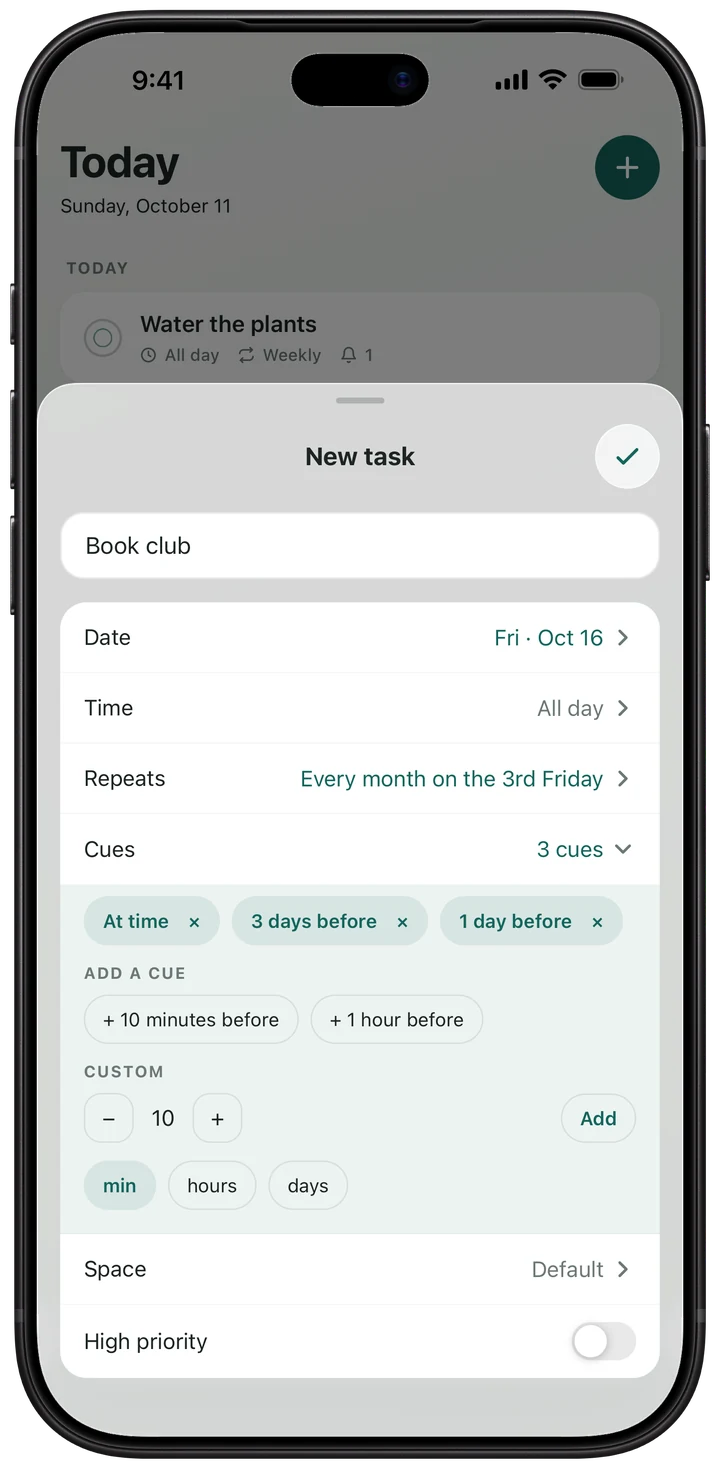
- As many reminders per task as you like
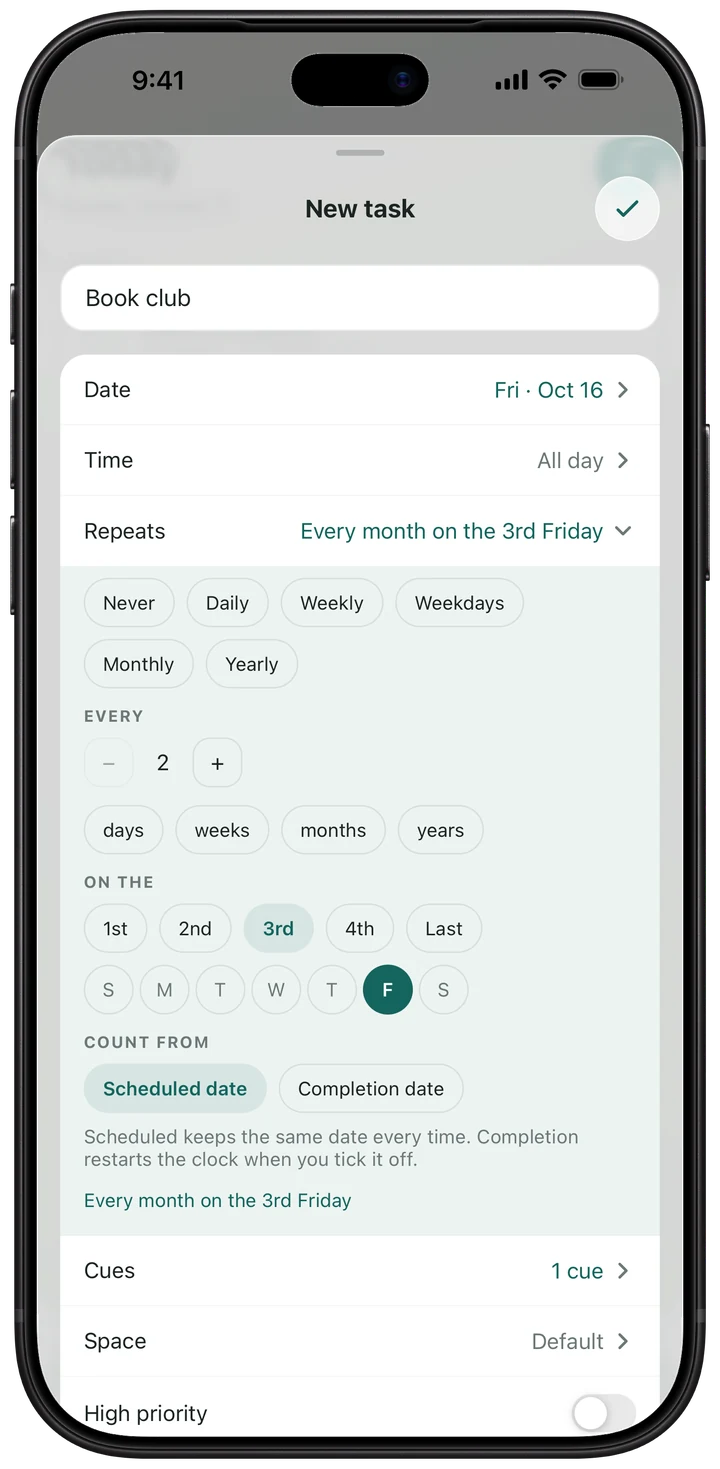
- More repeats, like the 2nd Friday of the month
- Choose your reminder sound and snooze length
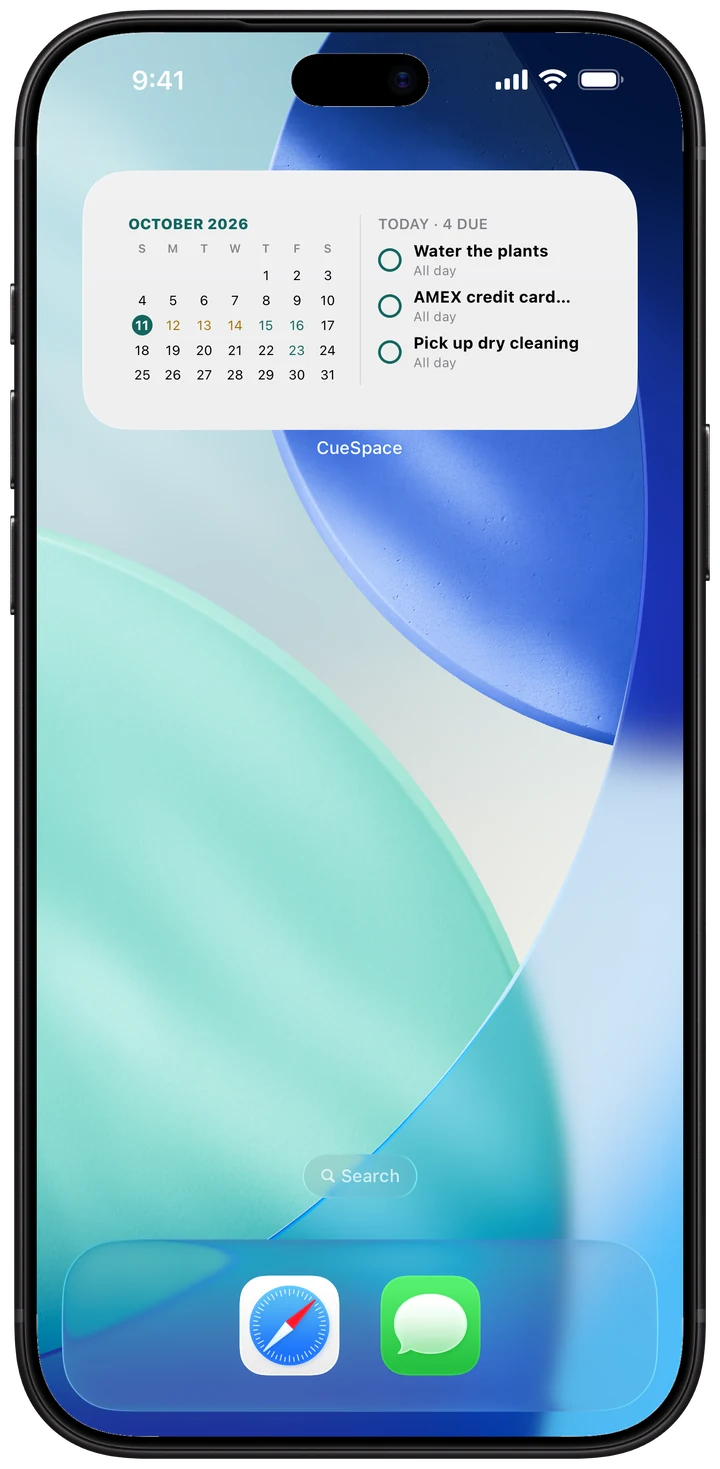
- Home Screen widget
Three steps
How it works
-
Add it
Name it “Card bill”, pick the 11th and set it to repeat monthly — a few taps.
-
Get reminded
When it's due, a notification lands on your phone.
-
Tick it off
Tap ✓ Complete. Next month it comes back on its own.
What's a “cue”?
It's what CueSpace calls a reminder: the notification you get about a task. A task can have one at the due time, or with Pro, several — say, 3 days before and again on the day.
Is CueSpace free?
Yes. The free plan has unlimited tasks and spaces, everyday repeats, one reminder per task and sync. Pro adds more reminders, more repeats, sounds, snooze lengths and the widget, for $19.99 a year or $1.99 a month — and new subscribers can try it free for 7 days. See the full comparison.
What if I miss a reminder?
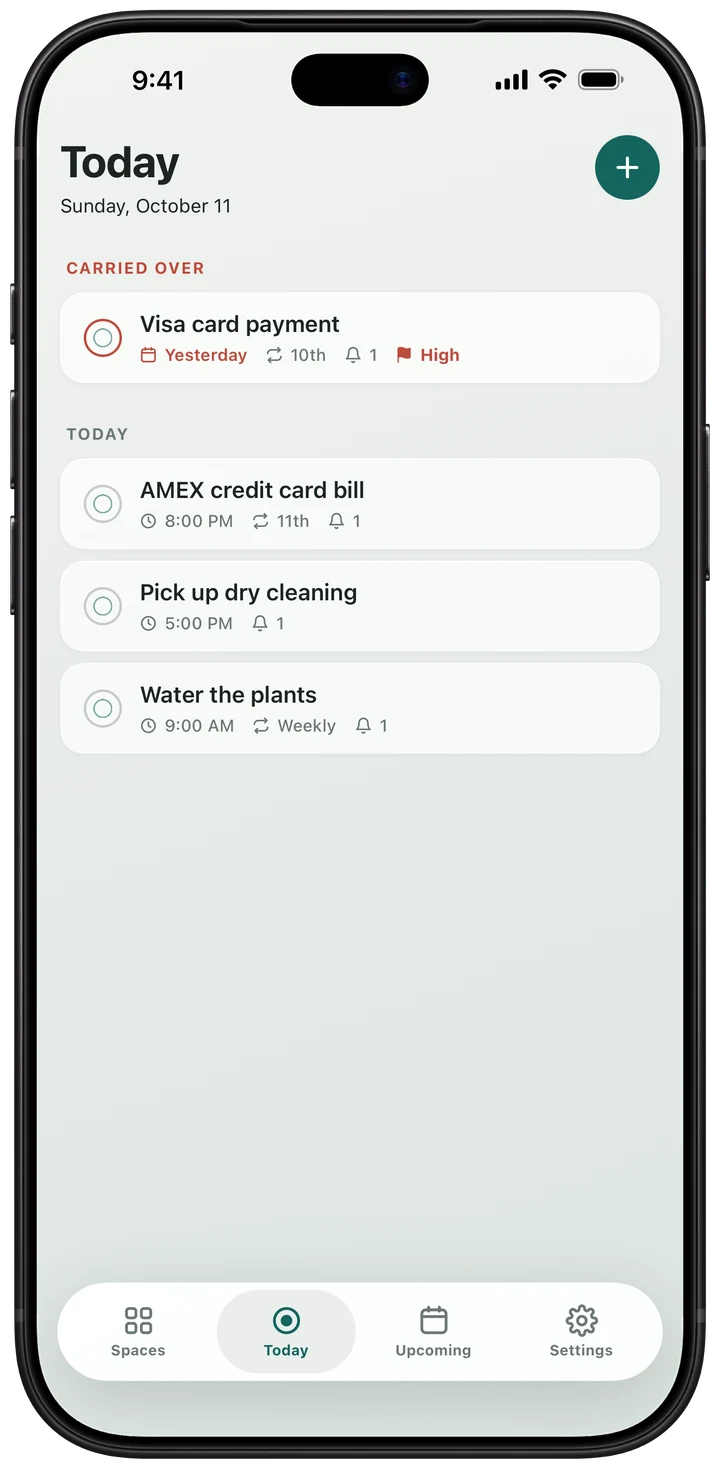
It waits for you. Anything you didn't tick off moves to Today, under “Carried over”, and stays there until you do. Not a good moment? Snooze it from the notification.
Do I need an account?
Yes, a free one. It's what keeps your tasks in sync between devices and brings them back if you get a new phone. Sign up with email, Google, or on iPhone, Apple.
Is my data private?
Yes. Your tasks travel over encrypted connections and are never sold or used for ads. You can delete your account, and everything in it, from Settings in the app.
Get it off your mind.
Free to download. Try Pro free for 7 days.