Features
What CueSpace
does for you
No projects, no boards, no setup. Add what you need to remember, and CueSpace reminds you when it's time.
Today
See what's due today
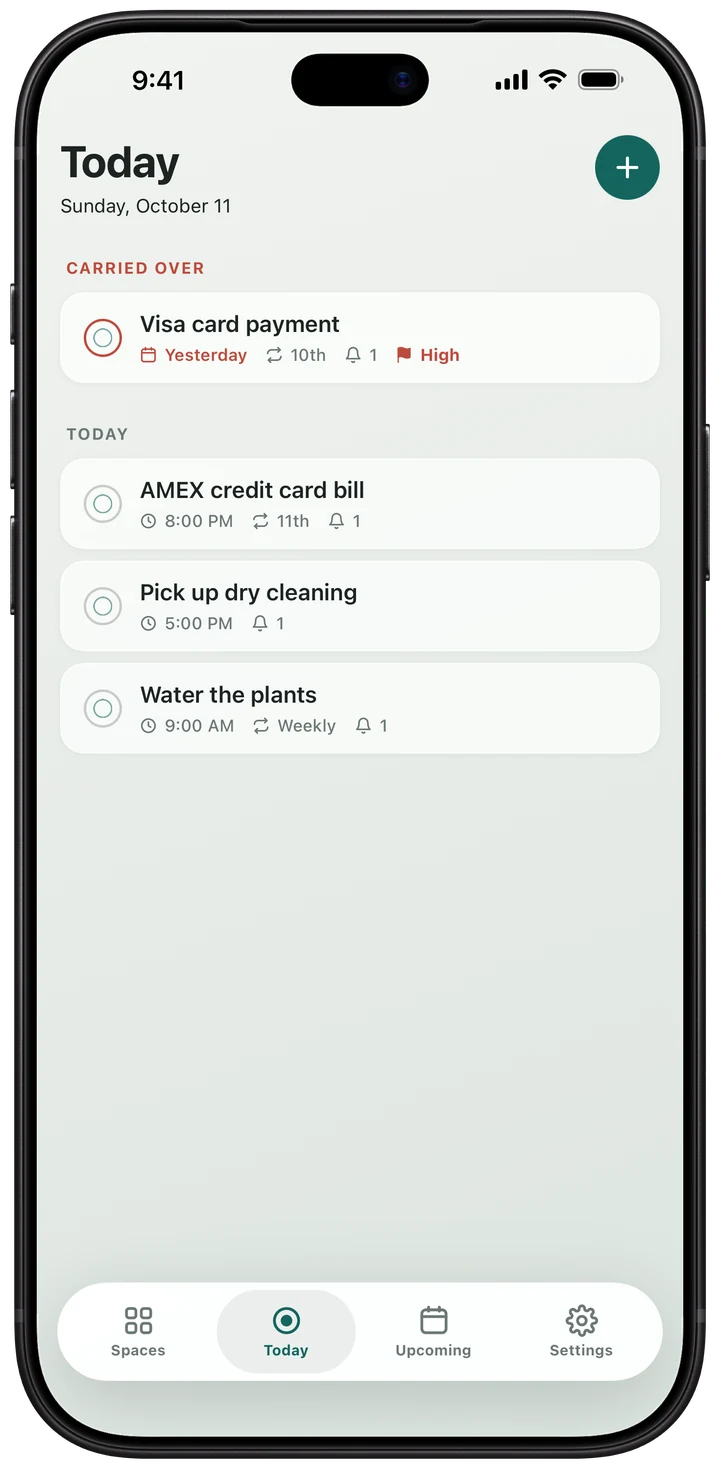
Open the app and today's list is right there. Anything you didn't get to moves to Today, under “Carried over”, so you notice it. Flag a task High and it goes to the top of its list.
- Everything due today, in one list
- Missed tasks carry over, clearly marked
- High-priority tasks sit at the top of their list
Add a task
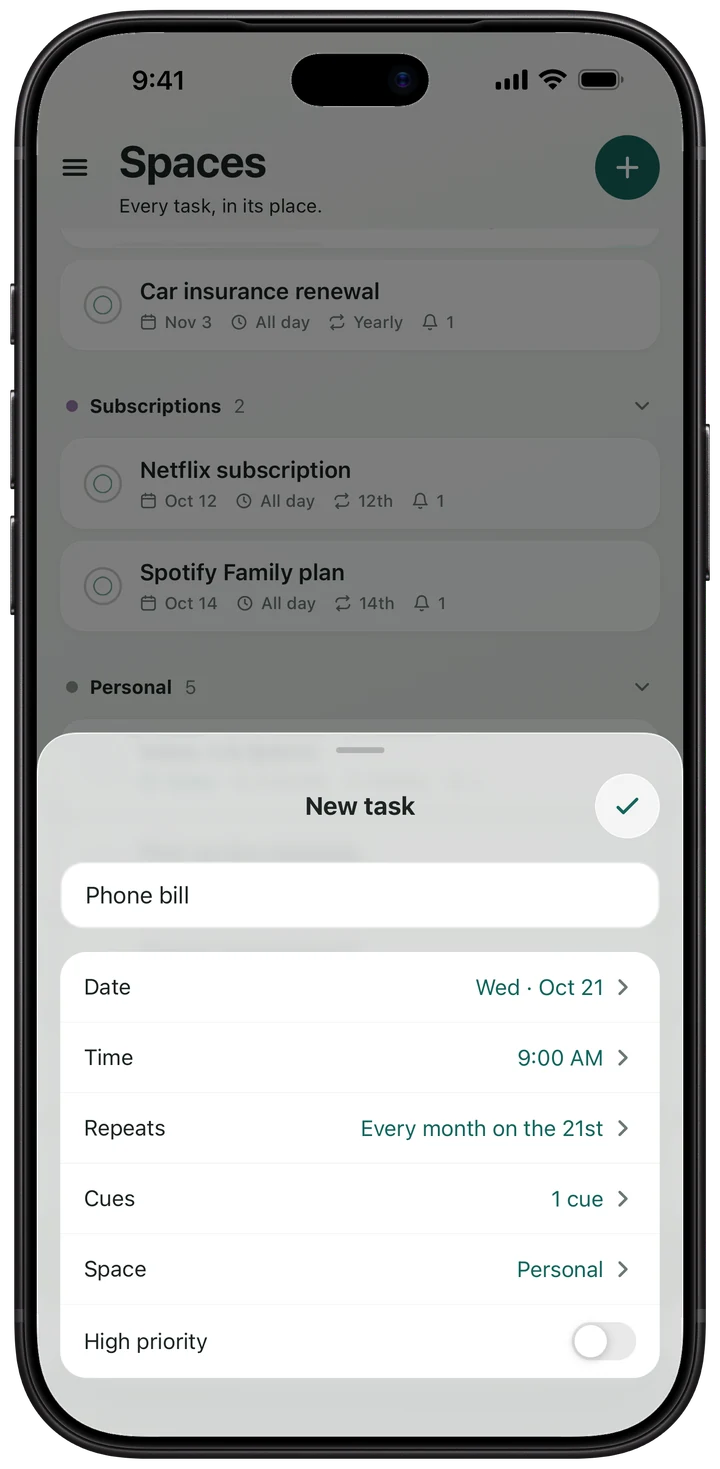
Type a name, tap a date, done
That's all a task needs. A time, a repeat, a reminder and a space are there if you want them, each one a tap away.
- Only the name is typed
- Time, repeat, cues and space are optional
- Saved the moment you tap the check mark
Repeats
Set it once. It comes back.
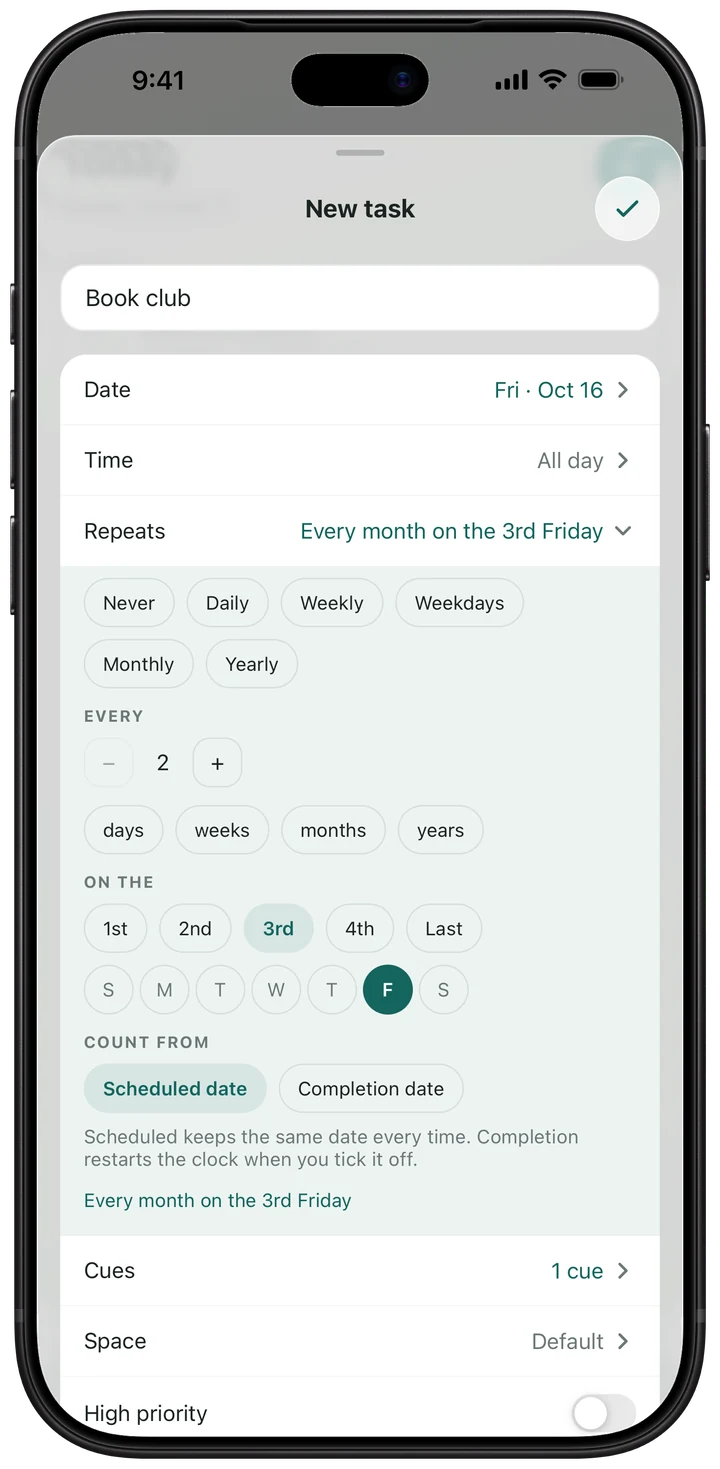
Bills, birthdays and chores come round again, so your tasks can too. Tick one off and it moves to its next date on its own.
- Daily, weekdays, weekly, monthly or yearly
- Every 2 weeks, every 3 months, and more
- The 2nd Friday or the last Monday of the month
Cues
Reminders when you want them
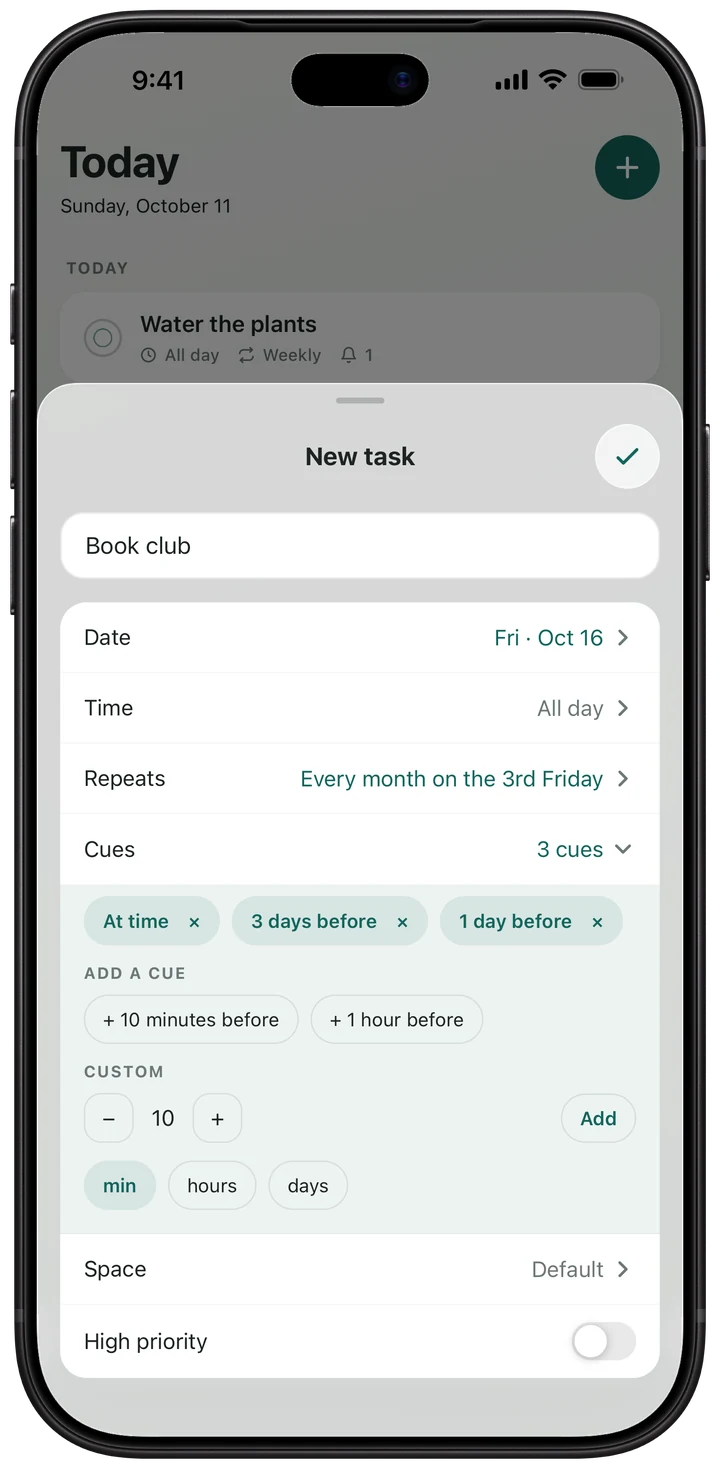
In CueSpace a reminder is called a cue. Give a task one cue or several: 3 days before, the day before, right at the time, or any lead you like.
- Ready-made: 10 minutes, 1 hour, 1 day or 3 days before
- Or set your own, from minutes to months ahead
- Several cues on one task, so a big bill doesn't sneak up on you
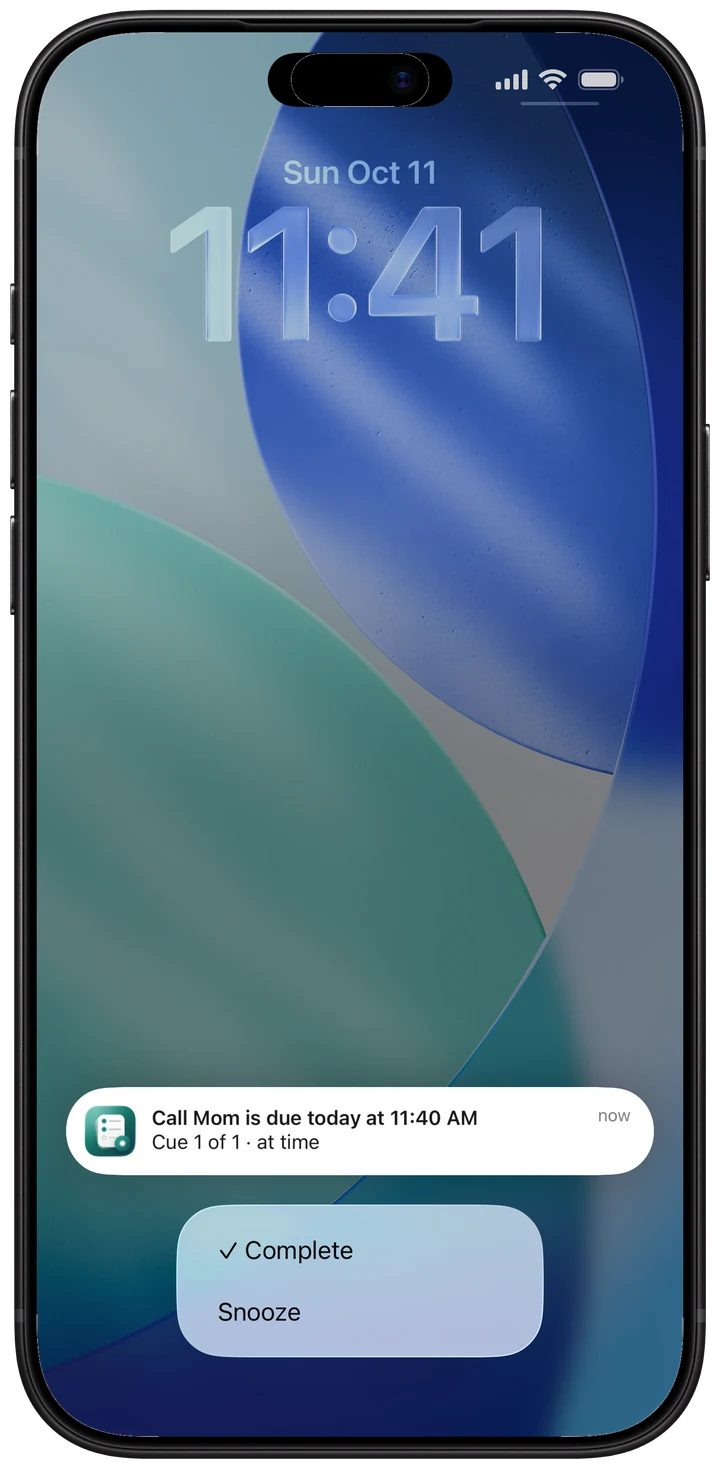
From the notification
Deal with it without opening the app
When a cue arrives, tick the task off or snooze it right from the notification. No need to open the app.
- Tap ✓ Complete and it's done
- Tap Snooze and it comes back a little later
- A repeating task moves on to its next date
Upcoming
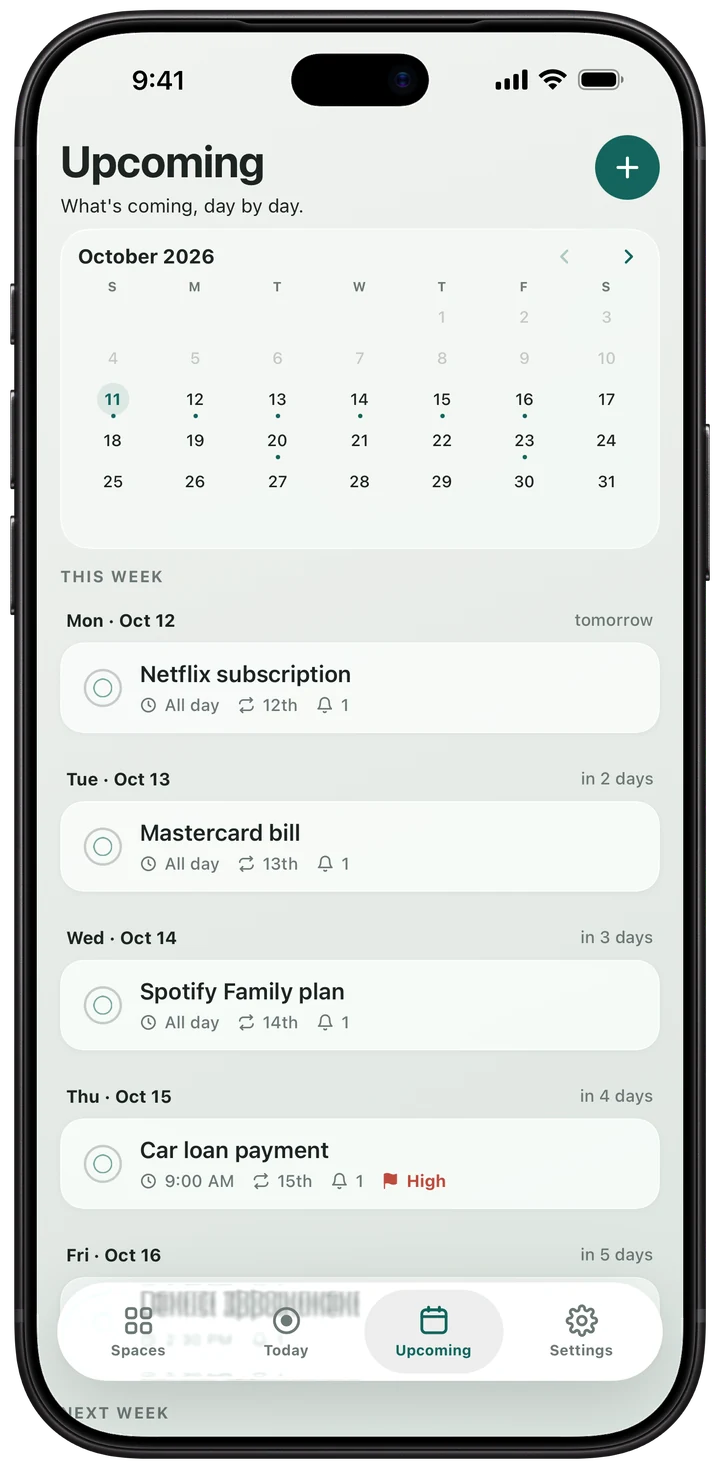
See what's coming
A month calendar sits above the rest of this week and next, so you can see what's coming. Tap a coming day to see what's due then.
- Days with something due are marked on the calendar
- This week and next, listed day by day
- Tap a day to plan further ahead
Spaces
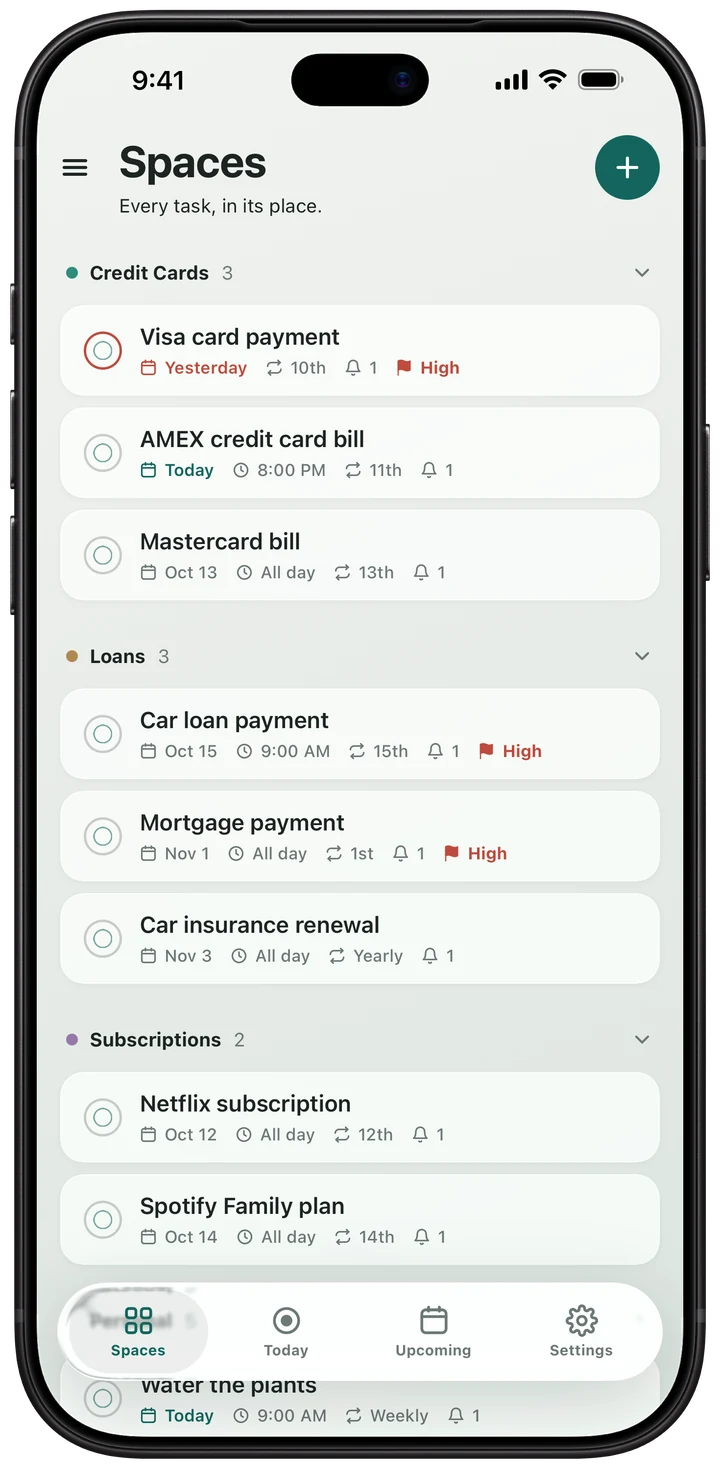
A place for each part of life
Keep bills, health, family and work apart. Make as many spaces as you like, each colour-coded.
- As many spaces as you like
- See everything, or just one space
- Add from a space and the task files itself there
Home Screen widget
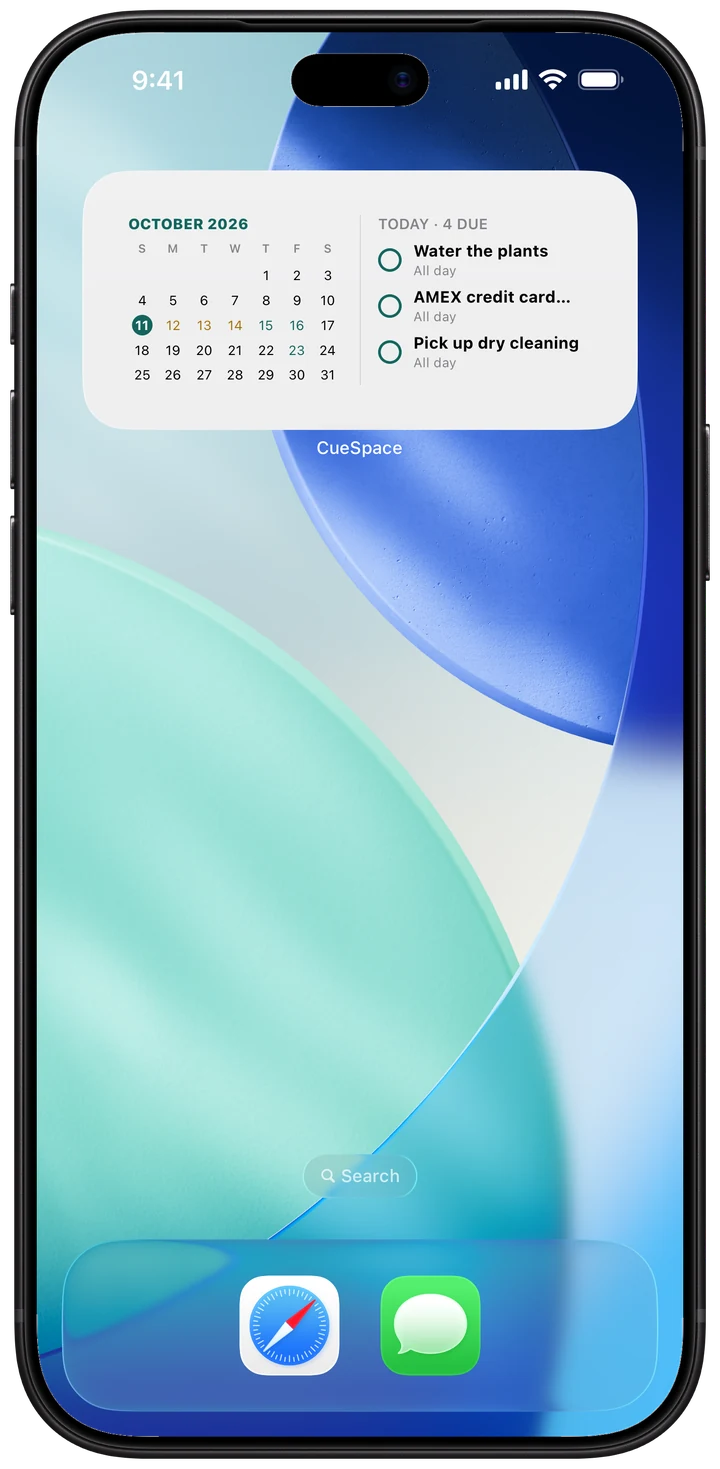
Today's list on your Home Screen
Add the CueSpace widget and see what's due without opening the app.
- Today's tasks, missed ones first
- This month's calendar, with due days marked
And a few more things
Light and dark
Follows your phone's setting, or pick the one you like.
On all your devices
Your tasks sync between your devices, and a new phone gets everything back when you sign in.
Sign in your way
Use your email, Google, or on iPhone, Apple.
All-day tasks, covered
A task with no time reminds you at 8 AM, or at whatever time you pick.
Your sound, your snooze
Choose the tone a cue rings with, and how long Snooze waits before reminding you again.
Private by default
Sent over encrypted connections and never sold. Delete your account from inside the app whenever you like.
Add your first reminder today.